I will never forget the panic — and it’s exactly this kind of moment that got me properly interested in car software updates UK drivers are now relying on every week.
It’s 11pm on the M6, somewhere north of Birmingham. My old petrol saloon’s navigation just… poofed out of existence. No screen, no map, and no warning of where the next services are, or what the speed limit is on this stretch.
I pull over onto the hard shoulder. Turn the engine off. Wait ten minutes. Turn it back on.
Nothing.
I actually said out loud to myself: why can’t this stupid thing update like my iPhone?
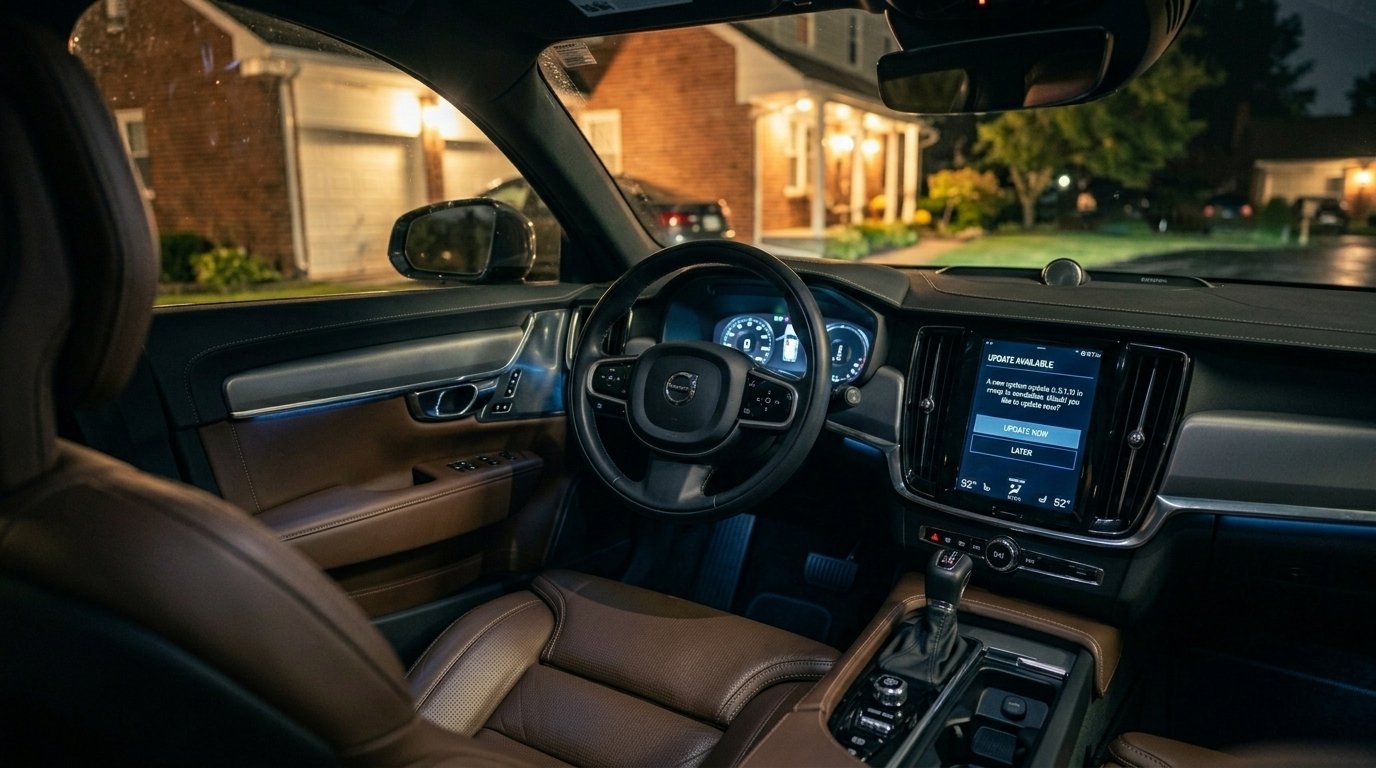
Fast forward a few years. I’m sitting in an EV on my driveway. A notification pops up on the dash: “New update ready. Schedule for 3am?” I tap yes, go to bed, and wake up to a car that fixed an annoying battery drain bug, added a streaming app, and somehow made the acceleration feel more responsive.
That’s the real story here. Car software updates UK — over-the-air, no garage visit required — and they’re flipping the entire motor industry on its head.
What an OTA Update for UK Drivers Actually Feels Like (The First Time Is Weird)
Let me walk you through my first proper OTA experience, because I was genuinely nervous about it.
I’d just bought a used Tesla Model 3. Three days in, a small download icon appeared on the screen. I tapped it, and the car asked me to schedule about 25 minutes of “downtime.”
Lesson number one: do not start an update if you need to be anywhere soon.
I ignored this warning once. I assumed 25 minutes meant ten. It does not. The car locks its doors, kills the motors, and takes a nap. I sat on my driveway like an idiot watching the battery recalibrate while my partner looked out the kitchen window, tapping her watch.
But when it finished? I immediately noticed a difference. Not massive, but significant.
Regen braking felt smoother. The blind-spot camera loaded lower on the screen — easier to see when you turn your head. And that annoying glitch where the streaming audio hiccupped over speed bumps? Gone.
That’s the magic. And yeah, also the risk. You’re trusting a company to push code to a two-tonne machine you take down the motorway at 70mph.
Why Car Software Updates UK Drivers Should Actually Care About (Not Just Hype)
I’m not a tech journalist who reads press releases. I’m the guy who used to sit in dealership waiting rooms during services, and they’d say, “Oh, by the way, there’s a software recall. Leave the car for the afternoon.”
An entire afternoon. For software.
Now? Completely different.
1. Recalls Don’t Destroy Your Entire Day Anymore
Ford had a battery drain issue in the Mustang Mach-E a while back. Normally that’s half a day at the dealership, a loan car if you’re lucky, and a chunk of your life gone.
Instead? Ford pushed an OTA update overnight. I watched a YouTuber install it in his driveway in 11 minutes flat while drinking his tea.
Not every recall can be fixed with software, sure. The DVSA still logs plenty of safety recalls every year that need a physical part replaced. But the ones that can be fixed with code? That’s genuine time back in your life.
2. Your Car Gets Better Over Time Instead of Worsening
Remember when buying a new car meant getting all the features right then, and that was it? Yeah, that’s over.
A friend of mine bought a Volkswagen ID.4 last year. It didn’t have certain navigation and infotainment improvements at delivery. A few months later, an update added smoother route planning and a more responsive touchscreen. He paid nothing.
Tesla’s “Dog Mode” was added via an OTA after owners requested it. Think about that. Thousands of people said, “Hey, we want this,” and instead of waiting for next year’s model, the company just added it. While people slept.
3. You Can Diagnose Problems Without a Mechanic (or a £150 Scanner)
Here’s a mistake I made. I ignored a “12V battery low” warning because the car drove fine. Two weeks later, it wouldn’t unlock. Called roadside assistance. Felt like an idiot.
What I should have done: checked the car’s service menu, if you know where to look. Most modern EVs and plenty of newer petrol and hybrid cars have built-in diagnostics that update OTA.
My current BMW i4 showed me exactly which module was draining power while the car sat idle on the drive. A week later, an update fixed that behaviour.
You don’t need a fancy scanner anymore. Just Wi-Fi and a bit of curiosity.
The Invisible Dark Side of Car Software Updates UK Owners Don’t Talk About
Let’s be honest. This technology has real problems.
The Subscription Question Is Already Here
One of the more controversial sides of car software updates UK buyers have encountered is the subscription model. BMW tried charging around £15 a month for heated seats back in 2022 — the hardware was already in the car, fitted at the factory. You were just paying to unlock the software switch.
The backlash, including from UK owners specifically, was immediate and brutal. BMW scrapped the heated seat subscription entirely by 2023. But here’s the thing worth knowing: BMW hasn’t abandoned the subscription model generally. Through its ConnectedDrive platform, UK buyers can still pay for post-purchase unlocks like adaptive suspension, high beam assist, safety camera information, and adaptive cruise control. The company has said plainly it still believes in the “functions on demand” approach — it just learned the hard way that hardware already sitting in your car, like a heating element, is the wrong thing to paywall.
My advice? Read the fine print. Some OTA features are free for a set period, then require a subscription. I almost bought a used Polestar 2 before realising a performance software upgrade doesn’t automatically transfer to the second owner unless the original owner includes it in the sale. Sneaky, and worth checking before you buy any used EV with optional software extras.
The “Bricking” Problem Is Very Real
Remember when certain phone batteries made headlines for catching fire? Bad updates can cause similar issues, but the stakes are higher with cars.
A Mercedes EQS update got stuck mid-install for dozens of owners a while back. The infotainment screen went into a reboot loop. You couldn’t control the climate, use the reversing camera, or even see your speed properly.
Mercedes fixed it within 48 hours, but those owners were driving with degraded systems for two days.
My rule: never install a major update the day it drops. Wait a week. Let the early adopters find the bugs. Even with vehicles.
Who Actually Owns Your Driving Data?
A relative of mine had an OTA update on their car add an “insurance scoring” feature to the manufacturer’s companion app. They didn’t opt in. It just appeared one day, tracking hard turns and hard braking.
Several manufacturers share anonymised driving data with third parties, and some insurers use that data to adjust premiums. The UK’s data protection rules under GDPR mean you do have a right to know what’s collected and to opt out — but in practice, that opt-out is often buried several menus deep.
Creepy? A bit. Legal? Generally, yes, provided the manufacturer’s privacy policy discloses it. Check your settings menu — it’s usually filed under something like Connectivity or Data Sharing, and it can take a genuinely long time to find.
How to Handle Car Software Updates UK Drivers Get Wrong Most Often
Let me save you from the headaches I put myself through with car software updates UK manufacturers push out. Here’s what actually works.
Always Use Wi-Fi, Not Mobile Data
My first OTA update used the car’s built-in mobile connection. Took 90 minutes instead of 20, and it failed at 87% because the signal dropped. Had to restart the whole thing.
Now I park on my driveway near the house router. Some newer cars let you prioritise Wi-Fi for large updates. Turn that setting on if it exists.
Read the Patch Notes. Yes, Really.
Most people just tap “Install” without reading. That’s how you miss important changes.
A software update on a popular EV last year changed how battery preconditioning worked. Before the update, the car warmed the battery whenever you navigated to a rapid charger. After, it only did so when the battery was below 50%.
People who didn’t read the notes couldn’t figure out why their charging speeds suddenly dropped on shorter trips.
I check patch notes on my phone before scheduling anything. Takes two minutes.
Keep Your 12V Battery Healthy (This One’s Sneaky)
Here’s a fact dealerships don’t advertise. OTA updates fail most often because the small 12V battery — the one that powers the computer systems, not the big driving battery — is weak.
A friend’s Hyundai Ioniq 6 failed four updates in a row. He almost drove to the dealership before I suggested checking the 12V voltage in the energy menu.
11.8 volts. Too low. A replacement battery from a local motor factors shop fixed everything.
If your car is more than three years old, test that little battery before any major update.
Never Update in an Underground Car Park
I learned this the hard way. Started an update in an airport multi-storey car park because I had 30 minutes before my flight. No signal, no Wi-Fi.
The update hung for three hours. I had to take the shuttle bus back to the car park and restart the system manually. Nearly missed my flight.
Always update at home or somewhere with a solid connection.
Real Examples I’ve Seen With My Own Eyes
Not hypothetical. Just real life.
Frozen Door Handles Fixed Without a Mechanic
A neighbour’s VW ID.4 had door handles that froze shut whenever temperatures dropped below freezing — not exactly rare on a British winter morning. Normally that means new handles, a body shop visit, and a few hundred pounds.
Instead, VW pushed an OTA update that pre-warms the door handles when you unlock with the key. Fixed. Zero tools.
Free Range Boost Out of Nowhere
Porsche added nearly 50 miles of range to the Taycan via an OTA update — not by swapping batteries, but by tuning the thermal management and regenerative braking algorithms.
Imagine buying a car with 250 miles of range, then a year later it has 300. That’s properly impressive.
The Car Warned Him Before Something Broke
Someone posted recently that their Tesla warned them about a failing charge port door actuator three days before it actually broke.
The car detected slower response times from the door motor during routine OTA diagnostic checks. He ordered the part, got it fitted, and avoided being stranded with a door that wouldn’t close.
Common Mistakes With Car Software Updates UK Drivers Regularly Make
Even smart people mess these up.
Assuming all updates are automatic. They’re not. Some still require you to tap “Approve” on the screen. I have a friend who drove for eight months with three pending updates because the car only prompted him when it was parked, and he rarely noticed.
Interrupting an update. Don’t open the door, don’t touch the brake, don’t even breathe on the car during an install. A mate of mine opened his driver’s door two minutes into an update and corrupted the infotainment module. Had to get it recovered by a dealer.
Ignoring small prerequisite updates. Sometimes two or three minor patches are required before a major feature update will appear. If you skip the small ones, you’ll never see the new stuff. Check your software version once a month.
Thinking OTA will replace all recalls. It won’t. Physical parts still break. My BMW had a rear spoiler motor die. No software can fix that. Don’t let the hype make you ignore real maintenance, including your MOT and service schedule.
What’s Coming Next (And Why You Should Care)
Here’s what’s coming over the next few years, based on what manufacturers are already testing.
Pay-Per-Feature Rentals
Want extra power for a single month? Some automakers are testing short-term unlocks for performance and convenience features. I’m not generally a fan of subscriptions, but for genuinely seasonal use, it’s not an unreasonable idea.
User-Installed Apps
Some newer infotainment systems are opening up to third-party app stores. Soon you might download an app that controls your lights, climate, and suspension settings for a camping trip, or one that limits speed and tracks the car’s location for a teenage driver.
Just like your phone. But considerably larger.
OTA for Used Cars
When you buy a used Tesla, software updates generally work immediately for the new owner. But some legacy manufacturers still tie certain features to the original owner’s account or require a fresh subscription for the next owner.
That’s likely to change as buyers push back, particularly given how large the UK used-EV market has become.
Final Thoughts on Car Software Updates UK Drivers Should Know About
This isn’t a gimmick. Car software updates in the UK have saved me garage trips, fixed bugs I didn’t even know I had, and made my car feel fresher years after I bought it.
But they’re not perfect. You have to be thoughtful about when and where you install them. You need to keep an eye on your privacy settings. And you definitely need to keep tabs on that tiny, overlooked 12V battery.
Here’s my advice. If you’re shopping for a new car, ask the salesperson one question:
“How often do you push software updates, and what have you added in the last 12 months?”
If they can’t answer, or look confused — walk away. That manufacturer isn’t taking software seriously, and a few years down the road, you’ll be stuck with the bugs from launch day.
But if they give you a real list of fixes, features, and improvements from the last six months? That company understands software. That car will age like fine wine, not milk. For more on what to check before buying, see our guide on EV battery cost in the UK, or browse the rest of our content on TechUpdateTop.
And the next time that “update ready” notification pops up on your dash? Don’t panic like I did on the M6 that night. Just park at home, plug in, and let it happen.
But maybe wait a week first. Let someone else test the waters.
FAQ: Car Software Updates UK
A few quick answers to the most common questions about car software updates UK drivers ask.
Do all electric cars in the UK get over-the-air updates?
Most modern EVs do, though the frequency and depth of updates vary significantly by manufacturer. Tesla, Polestar, and Rivian-style software-first brands tend to update most frequently; some legacy manufacturers are still catching up.
Can a bad software update damage my car?
It’s rare, but not impossible — there have been documented cases of updates causing temporary system lockouts, like the 2021 Mercedes EQS incident. Waiting a week after a major update’s release, rather than installing it immediately, reduces this risk.
Will my car’s software updates still work if I buy it used?
Usually yes for the core software, but some optional paid features may not transfer automatically to a second owner. Always check with the seller or manufacturer before buying a used EV with software-unlocked extras.
Why did my car’s update fail or get stuck?
The most common causes are a weak Wi-Fi or mobile signal, or a low 12V auxiliary battery. Checking your 12V battery voltage before a major update, and updating only on a stable home Wi-Fi connection, prevents most failures.
Can manufacturers see and sell my driving data in the UK?
Under UK GDPR, manufacturers must disclose what data they collect and generally need a lawful basis to share it, but anonymised driving behaviour data is sometimes shared with third parties, including insurers. Check your car’s data-sharing settings and opt out if you’re not comfortable with it.
Examples and figures reflect publicly reported manufacturer updates and general UK ownership experience as of June 2026. Specific features, pricing, and subscription terms vary by manufacturer and change frequently — always confirm current details with the manufacturer.